The new Osmo Reflector for Fire Tablets (2021) is a specially designed piece of hardware that makes new thin-bezel Fire tablets compatible with Osmo. Unlike the older Fire reflector, it has a round adjustment dial on the side.
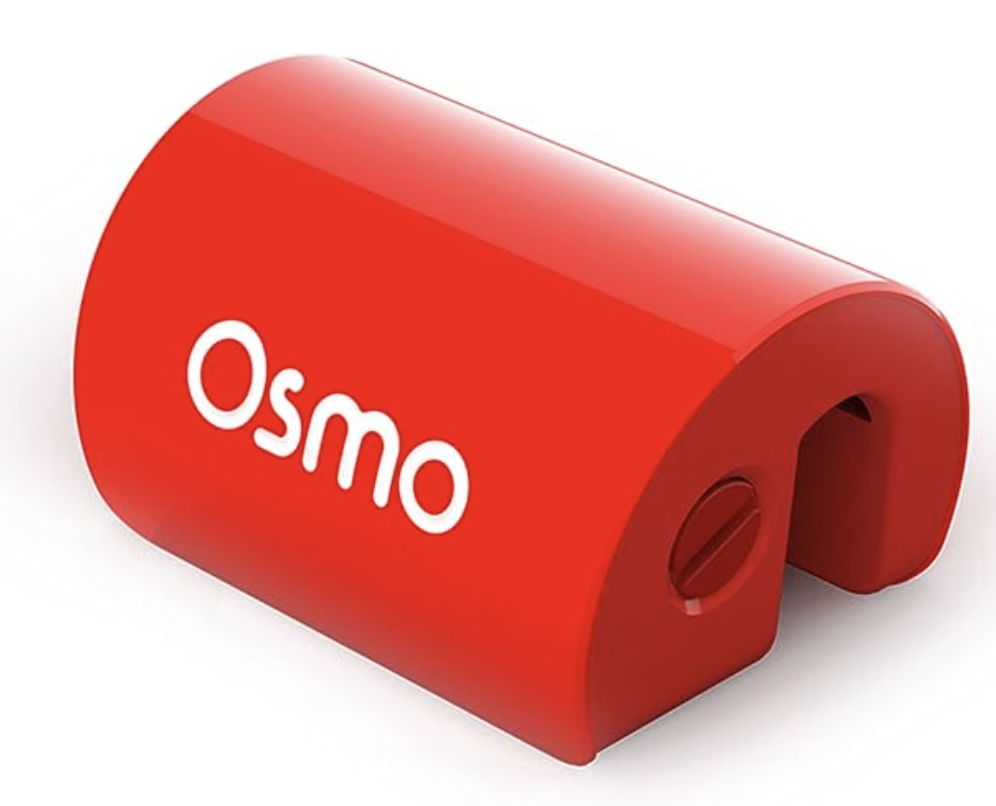
Note that it works with all Osmo-compatible Fire tablets, not just the thin-bezel (landscape) models. If you have been using the standard Fire reflector with your Fire tablet, you can also use the Osmo Reflector for Fire Tablets (2021), without any additional setup.
The new Fire reflector is now available for purchase with a Fire base on PlayOsmo.com:
It is also sold as part of several Osmo Starter Kits on PlayOsmo.com and on our Amazon store.
Note: You can also use our Reflector Adapter to make your thin-bezel Fire tablet compatible with Osmo.
There are two modes available on the new reflector:
- Thin Bezel Mode makes the reflector sit a little higher to work with cameras that are closer to the edge of the Fire tablet. Use this mode if you are using a Fire HD 8 (10th Generation), Fire HD 10 (11th Generation), and Fire HD 8 (12th Generation).
- Thick Bezel Mode sits on a Fire tablet just like our standard reflector and works with Fire tablets that have more space between the camera and the edge. Use this mode for any other Osmo-compatible Fire tablet.
To use the new reflector, please follow these steps:
- Find a tool. A variety of items can help change modes. For most people, a fingernail will work fine. You can also try a paperclip or a credit card.
- Put the tool into the slot of the adjustment dial and gently push in on the dial until you feel it stop.
- While pressing in, turn the dial until you feel it stop.
- Release the tool from the dial allowing it to lock into place.
You can also watch this short video showing the steps.
Turning the dial clockwise will put the reflector in Thin Bezel Mode.
Turning it counterclockwise will return it to Thick Bezel Mode.
Was this article helpful?
That’s Great!
Thank you for your feedback
Sorry! We couldn't be helpful
Thank you for your feedback
Feedback sent
We appreciate your effort and will try to fix the article